 Itemlume
DIAGNOSTIC GUIDE / Assets & tasks
Will saving an AI-generated description immediately change my live product page?
Treat saving a description on a published product as a potentially live action. Shopify’s current generation help explains that saving a new description on a published product updates its content. Review in a separate copy, preserve the current approved text, and check the public page after an authorized save. An AI draft or Itemlume writing result is not automatically an isolated store staging environment.
Identify the product’s publication state
Before pasting text, record the product, selected locale and publication state. A draft item and a published item create different risks even when the editor looks similar. Confirm the current store workflow instead of assuming that every save is only a private draft.
Copy the existing description into a retained review record with its version and date. Preserve formatting or linked information needed for a return to the approved content. A vague memory of the previous headline is not enough to restore a description after an unwanted change.
Approve copy outside the live editor
Review the proposed description in a separate document or an actual supported store review workflow. Check product facts, variant scope, claims and language before applying it. Itemlume text assistance can help draft, but does not authorize a storefront change or maintain a store rollback for you.
Agree who may perform the save and how the previous approved text will be restored if needed. Do not introduce an imaginary preview-only button or staging integration. If the current tool’s save behavior is unclear, stop and ask the store owner before using the published record for experiments.
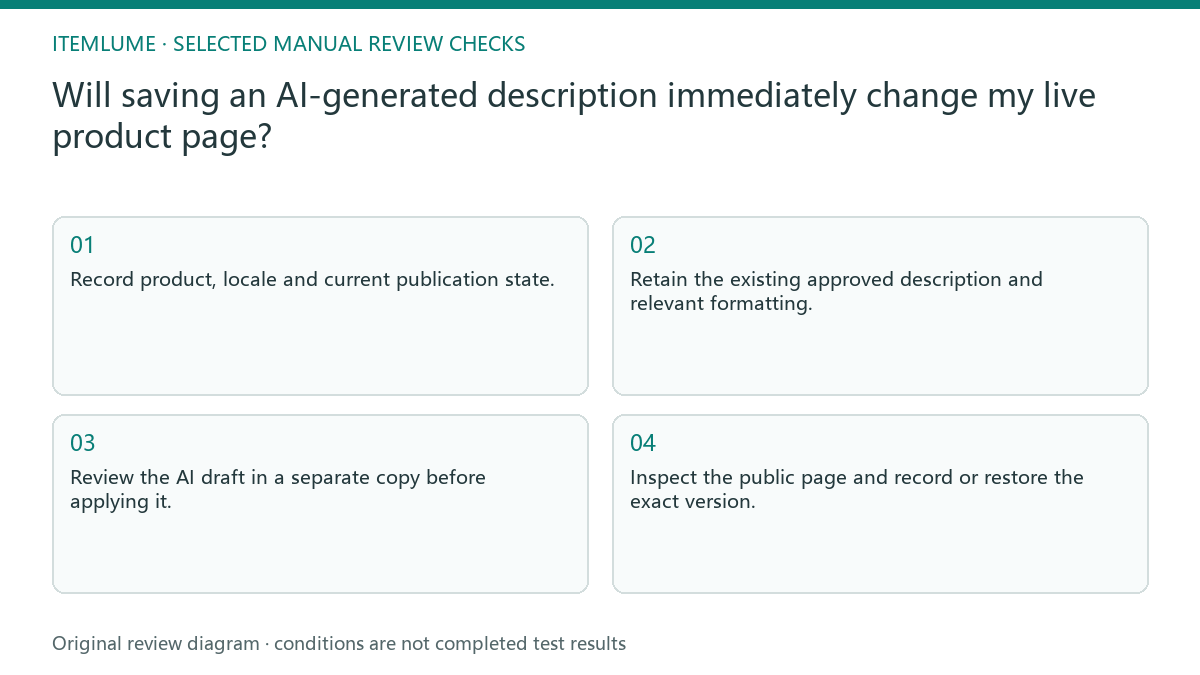
- Record product, locale and current publication state.
- Retain the existing approved description and relevant formatting.
- Review the AI draft in a separate copy before applying it.
- Have the authorized operator perform the agreed save.
- Inspect the public page and record or restore the exact version.
Fictional exercise: a draft label does not isolate the store
In this fictional exercise, a merchant pastes a draft into a published mug’s description and presses save, believing the draft label prevents publication. The live wording changes. The invented scenario illustrates the workflow boundary; it is not an Itemlume-connected store test.
The authorized operator restores the retained approved text and moves further review into a separate copy. They inspect the public product page again rather than assuming restoration succeeded. The stop condition is the intended public version, not the disappearance of an editing warning.
Close the public-page verification
Compare the actual public content with the approved text, including important formatting and destination links. Record which product and locale were checked. Testing one locale does not prove all translated descriptions changed correctly, and a private preview is not the public page.
If the public version disagrees or contains unsupported claims, keep the release on hold and follow the agreed restoration plan. Store publishing remains external manual work. Stop when the intended page is verified and the saved record can support the next review without exposing private account data.
Draft-to-live save check
| Observation | Manual check | Stop or approve |
|---|---|---|
| Published item | Confirm save behavior | Treat as live action |
| Review incomplete | Use separate copy | Hold application |
| Old text needed | Retain exact version | Restoration possible |
| Save completed | Check public locale | Approve intended result |
Use this matrix as a manual review record and add your own real evidence. Its conditions are not completed test results.
Sources and further reading
Sources for this page were checked on . Platform rules can change; verify the current source before publishing. Prompt examples and workflow recommendations are Itemlume editorial guidance, not independently measured results.
Frequently asked questions
Does an AI draft publish itself?
Drafting and store saving are separate actions; the actual save behavior belongs to the store workflow.
Is private preview sufficient?
No. Verify the actual public product and locale after the agreed save.
Does Itemlume retain my store’s old description?
Do not assume a store rollback integration; retain the approved text externally.
BUILD FROM A PRODUCT YOU KNOW
Put this workflow into practice with your own product.
Explore the relevant tool first. AI copy and concept planning are free after sign-in. Image and video generation require available credits and the applicable account access.
Open Assets & tasks Check pricing and credits