 Itemlume
DIAGNOSTIC GUIDE / Image remix
What contact details and QR codes should I check in a supplier-reference remix?
AI remixing does not prove that supplier contact information has been removed. Check visible phone numbers, handles, QR codes, corner marks, reflected text, and any readable remnants in the exported image. Also review whether the underlying supplier claims match your offer. Obtain current publishing requirements for the actual channel before using the result; do not scan unknown codes or contact their owners during the audit.
Inventory the source before remixing
On a review copy, mark every contact-like element: numbers, social handles, QR patterns, website addresses, and service labels. Record their locations, including small footers and product reflections. A list made before generation makes it easier to check what survived than relying on memory after the new layout looks polished.
Separate supplier contact data from genuine product markings. A manufacturer label can contain factual information that should not be replaced casually. Ask the merchant which markings belong to the offered SKU and which are promotional overlays. Source authenticity and permission to use the reference need owner confirmation; AI transformation does not settle them.
Inspect the full-resolution export
Review the final downloaded file, not only the workbench thumbnail. Small digits can disappear at preview size yet remain legible when a buyer enlarges the image. Look at corners, faint background text, reflections, and partially regenerated QR-like blocks. Do not assume a damaged code is harmless or clean.
Use the source inventory to account for each marked element. An external OCR pass may help find readable strings, but visual review remains necessary for fragments and symbols. Do not scan an unknown code to investigate it. Ask the authorized merchant to remove or clarify questionable remnants in the source or an external editing workflow.
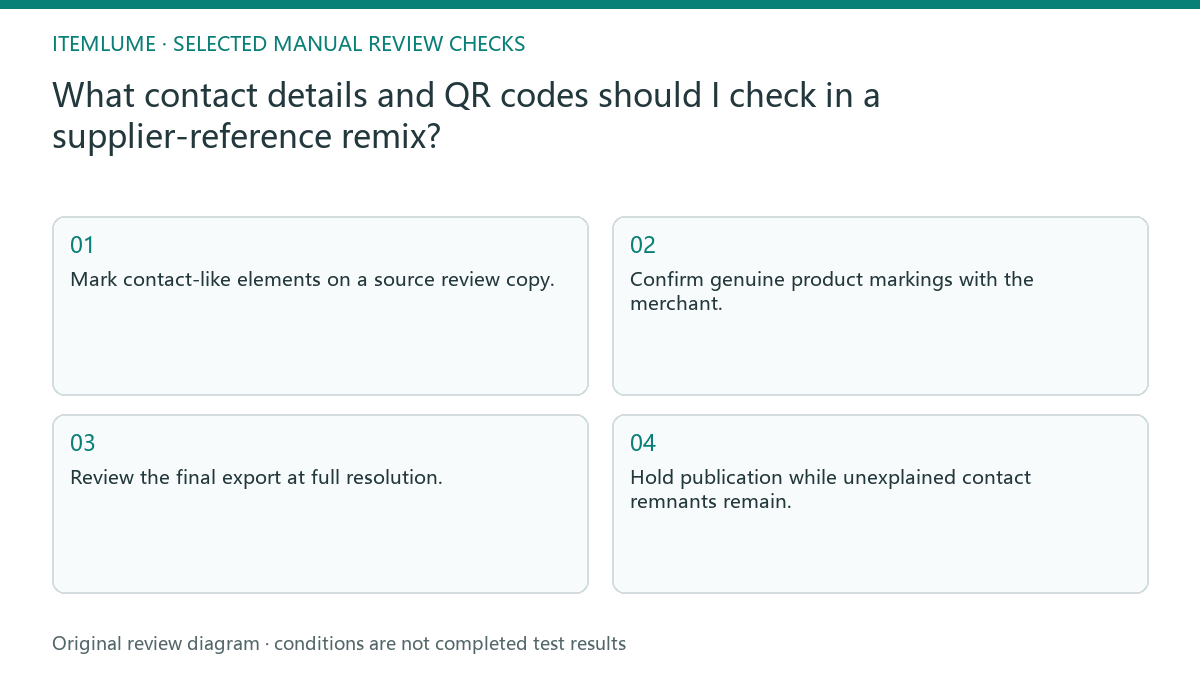
- Mark contact-like elements on a source review copy.
- Confirm genuine product markings with the merchant.
- Review the final export at full resolution.
- Compare each marked location and inspect new corners.
- Hold publication while unexplained contact remnants remain.
A fictional supplier-detail remix
Fictional exercise: a supplier image contains a WeChat handle in the footer and a QR block beside a specification table. The remixed candidate removes the main footer but retains faint digits near a reflected bottle. The checklist flags that location instead of declaring cleanup complete based on the thumbnail.
The reviewer obtains a clean source or removes the overlay externally, then repeats the export review. If the specification table also belongs to a different variant, that becomes a separate reason to reject the image. This is not a real platform submission, and it provides no claim of successful code removal or moderation approval.
Treat publishing and factual cleanup separately
Check the actual channel’s current requirements for third-party contact details and off-platform elements. Public Douyin publishing guidance can inform the question, but account/category notices need direct confirmation. Removing a QR block does not validate unrelated product performance, bundle quantities, or supplier prices.
Itemlume remixing is not a built-in marketplace policy scanner or automated contact-removal certification. Keep the original inventory, reviewed final file, and merchant decisions together. Stop if the source cannot be used legitimately or contact remnants cannot be resolved; do not conceal uncertainty under a claim that AI has fully anonymized the asset.
Contact-remnant audit
| Source element | Final-file check | Decision |
|---|---|---|
| Footer phone or handle | Inspect full-resolution footer | Remove unsupported overlay |
| QR-like block | Visual check without scanning | Hold unexplained code |
| Reflection digits | Compare marked source location | Resolve readable remnants |
| Manufacturer label | Confirm real SKU marking | Preserve verified product facts |
Use this matrix as a manual review record and add your own real evidence. Its conditions are not completed test results.
Sources and further reading
Sources for this page were checked on . Platform rules can change; verify the current source before publishing. Prompt examples and workflow recommendations are Itemlume editorial guidance, not independently measured results.
Frequently asked questions
Is a blurred QR code automatically safe?
No. Do not infer clearance from appearance. Resolve unexplained code remnants and inspect the final asset.
Can OCR replace visual review?
No. OCR can help locate strings, but fragments, symbols, and reflected content still need human inspection.
Does cleanup validate the supplier’s claims?
No. Contact removal and product-fact verification are separate checks against the actual offered SKU.
BUILD FROM A PRODUCT YOU KNOW
Put this workflow into practice with your own product.
Explore the relevant tool first. AI copy and concept planning are free after sign-in. Image and video generation require available credits and the applicable account access.
Open Image remix Check pricing and credits