 Itemlume
DIAGNOSTIC GUIDE / Product images
How do I hand off a batch of SKU images to Douyin Shop's PC and app workflows?
Hand off a batch as an exact SKU-to-file map, then verify the upload options available in the operator’s current PC or app account. Douyin Shop’s indexed SKU-image help describes different entry points and capabilities, but we have not verified the live merchant interface. Do not assume a batch workflow is available to every account or that Itemlume uploads the files automatically.
Prepare files for exact SKU selection
Record SKU, option names, approved image file and expected visible variant. Do not use a file named “final” as the only identifier. Two phone cases can look similar while fitting different models, so the image and receiving row need an explicit connection.
Keep source references and published candidates separate. The receiving operator should receive the approved delivery set rather than choose among unreviewed outputs. Note files waiting for approval without inserting a substitute that merely resembles the missing color or specification.
Record the actual PC and app capabilities
Open the current merchant workflow with the authorized operator. Record device, account, selected category and visible SKU-image controls. Use the official help as a place to check, not a promise that an indexed snapshot describes today’s permissions or interface.
If PC offers a batch action, verify how it associates files with rows before applying it. If the app offers only individual actions in that account, plan a one-row-at-a-time handoff. Do not invent an absent upload button or bypass account restrictions to complete the batch.
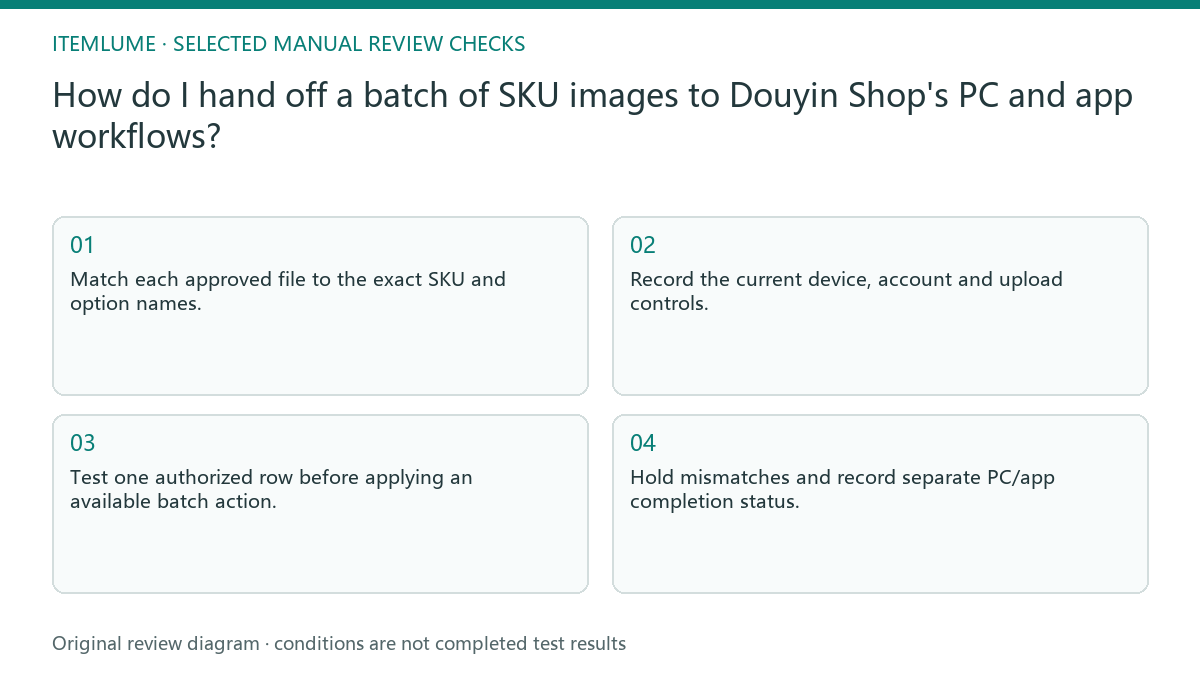
- Match each approved file to the exact SKU and option names.
- Record the current device, account and upload controls.
- Test one authorized row before applying an available batch action.
- Compare the selected option with the image after upload.
- Hold mismatches and record separate PC/app completion status.
Fictional exercise: a reversed phone-model pair
This fictional exercise hands off two case images for different phone models. The operator sees a batch control but the proposed file order does not match the SKU order. The scenario is invented and does not prove the current Douyin interface uses any particular ordering rule.
They test one row, discover the proposed mapping is wrong and correct the ledger before continuing. Another operator on the app follows the controls actually present there. The stopping rule is verified association for each handed-off SKU, not one completed upload-progress bar.
Close the customer-view check manually
Check the selected specification in the actual customer flow available to the merchant. Record the image shown and any inconsistent page state. Where the current interface supports additional views such as cart or order previews, verify the relevant outcome instead of assuming propagation.
Itemlume has no automatic Douyin Shop upload or SKU synchronization in this guide. Publishing is external manual work under the merchant’s account. Stop when each approved file is correctly attached and displayed, or return the unresolved item to the owner with its exact SKU and observed mismatch.
PC/app handoff checklist
| Observation | Manual check | Stop or approve |
|---|---|---|
| Exact SKU file | Compare option names | Identity verified |
| Batch control visible | Test actual row mapping | Use only verified mapping |
| Control absent | Check current account help | Do not invent workflow |
| Customer view mismatch | Record selected option | Hold that SKU |
Use this matrix as a manual review record and add your own real evidence. Its conditions are not completed test results.
Sources and further reading
Sources for this page were checked on . Platform rules can change; verify the current source before publishing. Prompt examples and workflow recommendations are Itemlume editorial guidance, not independently measured results.
Frequently asked questions
Does every account support batches?
We have not verified that; record the controls in the current authorized account.
Can I reuse file order as the map?
Only after verifying the current action’s matching behavior; names and SKU evidence remain necessary.
Will Itemlume upload the images?
No store connector is claimed here; this is a manual merchant handoff.
BUILD FROM A PRODUCT YOU KNOW
Put this workflow into practice with your own product.
Explore the relevant tool first. AI copy and concept planning are free after sign-in. Image and video generation require available credits and the applicable account access.
Open Product images Check pricing and credits