 Itemlume
PRACTICAL ANSWER / AI models
How do I keep the model’s jewelry out of my product advertisement?
Treat the model reference as an identity source, not a complete styling brief. Mark the face, hair, skin tone, and other approved identity cues as keep items; mark rings, watches, bracelets, and necklaces as remove items. Then review every generated hand, wrist, and neckline before approving the advertisement.
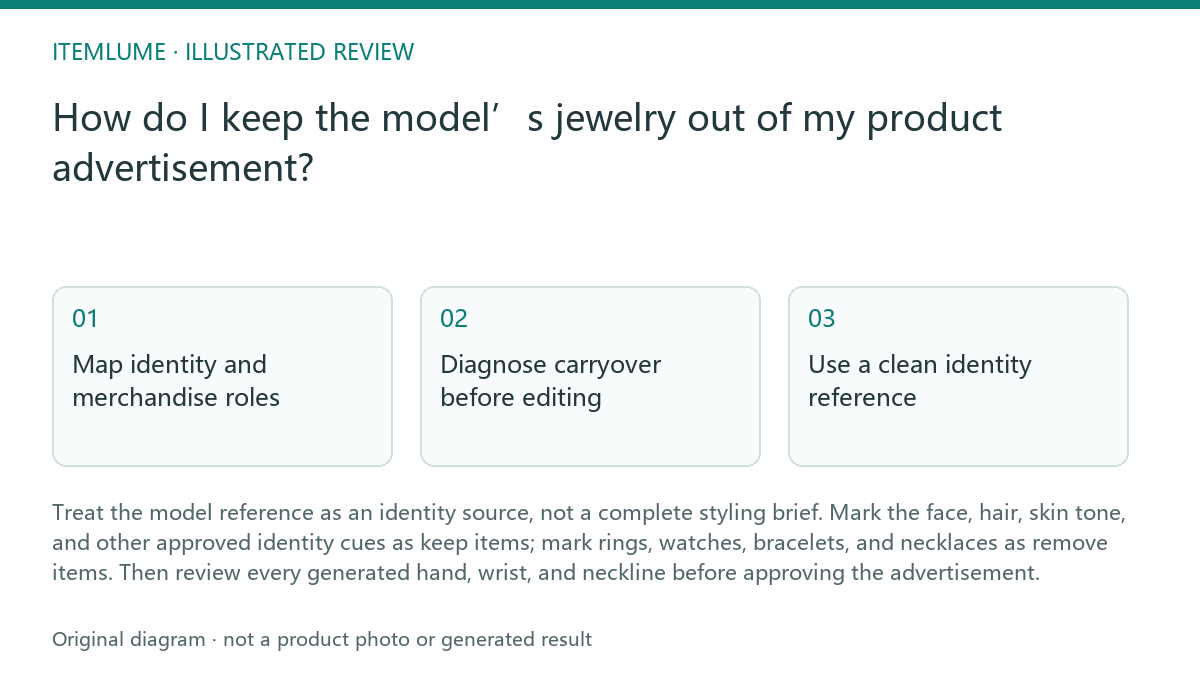
Map identity and merchandise roles
Start by listing what must remain consistent for recognition: facial structure, complexion, hair pattern, and any approved expression or pose cue. These are identity references. Jewelry belongs in a separate styling category unless the item being sold is the jewelry itself.
Write the separation into the request or production note. For example: “Use the reference for identity only. Remove the source model’s rings and watch. Show bare hands and wrists. Add only the listed bracelet.” This is workflow guidance; it does not make the generated image proof of product fit or performance.
- Inspect the reference at full size and mark every ring, watch, bracelet, necklace, and piercing.
- Create two lists: keep for identity cues; remove for inherited accessories.
- Describe the advertised jewelry independently, including placement, material, color, and the hand or wrist it should occupy.
- Generate a review image and inspect hands, wrists, neck, and cropped edges before approval.
Diagnose carryover before editing
A carryover is not limited to a visible ring. A watch outline may remain beneath a sleeve, a bracelet may appear on the opposite wrist, or a necklace clasp may become a bright mark near the collar. Compare the source and output in the same crop areas, especially where the reference model’s hands touch clothing or props.
Keep the diagnosis narrow. If the face and skin cues remain stable but an extra accessory appears, correct the accessory instruction first. Do not replace the identity reference merely because the styling inherited incorrectly; that can introduce an unnecessary identity change.
- Compare face, hair, and skin cues against the approved identity reference.
- Check both hands and wrists, then neckline, ears, and sleeve openings.
- Count only the jewelry requested for sale; flag every unrelated accessory.
- Stop and revise the brief when an unrelated item remains visible in a decisive product crop.
Use a clean identity reference
When possible, select or prepare an identity reference with no distracting jewelry. Keep the image’s identity information intact while removing background accessories from the styling brief. The goal is not to reconstruct or alter the person’s defining features; it is to prevent a watch or ring from being treated as part of the intended look.
If a clean reference is unavailable, state the exclusions explicitly and repeat them in the shot-level review. A cleaner source reduces ambiguity, but it does not remove the need to inspect generated details. Itemlume planning is free after sign-in; image and video media are quoted separately.
- Prefer a clear face reference with neutral hands and wrists when available.
- If the source contains jewelry, label it as excluded rather than as a product attribute.
- Review the first usable output at the intended advertisement crop.
- Do not claim the image proves sizing, fit, durability, or product performance.
Worked exercise and approval rule
Fictional exercise: a bracelet advertisement uses a model reference showing two rings and a metal watch. The requested product is one silver bracelet on the model’s left wrist. The role map says: keep facial structure, complexion, hair, and expression; remove both rings and the watch; add one silver bracelet on the left wrist only.
The first output shows the bracelet but retains one ring and a faint watch edge. The result fails. Revise the request to repeat the exclusions, regenerate the crop, and check both wrists again. Approve only when the unrelated jewelry is absent and the advertised bracelet is the sole jewelry item in the defined crop.
- Record the intended identity cues and the single sale item.
- Inspect the first output for inherited jewelry, including partial outlines.
- Regenerate with explicit exclusions if any carryover remains.
- Approve only after the defined crop passes the review table.
Jewelry carryover review
| Observation | Next check | Pass condition |
|---|---|---|
| A ring appears on either hand | Compare both hands with the source and brief | No unrequested ring is visible |
| A watch edge or clasp remains | Inspect both wrists and sleeve openings | Both wrists are clear except for the advertised item |
| The requested bracelet is duplicated | Count jewelry on each wrist and at crop edges | Exactly the specified bracelet appears |
| Face or skin cues changed during cleanup | Compare against the approved identity reference | Identity cues remain consistent enough for the approved use |
| Product crop looks clear but fit is uncertain | Separate visual review from product claims | Image is not presented as proof of fit or performance |
Sources and further reading
Sources for this page were checked on . Platform rules can change; verify the current source before publishing. Prompt examples and workflow recommendations are Itemlume editorial guidance, not independently measured results.
Frequently asked questions
Can I keep the model’s face while removing every accessory?
Yes. Specify which identity cues are retained and which accessories are excluded, then inspect the output for unintended changes.
What if the source model wears jewelry in every image?
Use the cleanest identity reference available, document the exclusions, and check hands, wrists, neckline, ears, and crop edges in each approved output.
Does removing the reference watch prove my bracelet fits?
No. It only addresses visual carryover. Do not treat the generated advertisement as evidence of fit or product performance.
BUILD FROM A PRODUCT YOU KNOW
Put this workflow into practice with your own product.
Explore the relevant tool first. AI copy and concept planning are free after sign-in. Image and video generation require available credits and the applicable account access.
Open AI models Check pricing and credits