 Itemlume
DIAGNOSTIC GUIDE / Packaging studio
Why does the printer measure a different page size from my packaging layout?
Ask which PDF page boundary the printer measured. The visible crop, intended trim and bleed can describe different rectangles, so a mismatch is not automatically proof that the design was scaled incorrectly. Compare the job’s finished dimensions with the actual PDF boxes. Name the measured rectangle and unit before deciding which dimensions actually need correction.
Finished size and PDF boxes are different measurements
A screen preview can hide areas without changing the full document boundary. Conversely, adding bleed extends delivery information without enlarging the finished package. Treat units and measurement basis as explicit fields; a screenshot ruler cannot establish which PDF boundary a supplier’s automated system is reading.
Have the supplier name the measured box and unit. A full page boundary can include information outside the finished area, while a viewing crop can conceal it. The discrepancy becomes actionable only when both parties describe the same rectangle.
Ask which boundary the supplier reads
Record the supplier’s finished size, bleed requirement and accepted page-box convention. Inspect the delivered PDF’s box values in a capable editor, keep the unit visible, and compare them with the editable layout. Correct only the agreed boundary on a copy, then send the revised file for the same measurement again.
Make a dimension ledger for the finished size, required bleed and the delivered PDF’s named boxes, such as TrimBox, BleedBox and CropBox where present. Keep the source layout beside it and ask which box the supplier measured. Convert units explicitly before deciding whether artwork or metadata needs correction. Do not assume the visible viewing crop is the accepted finished boundary.
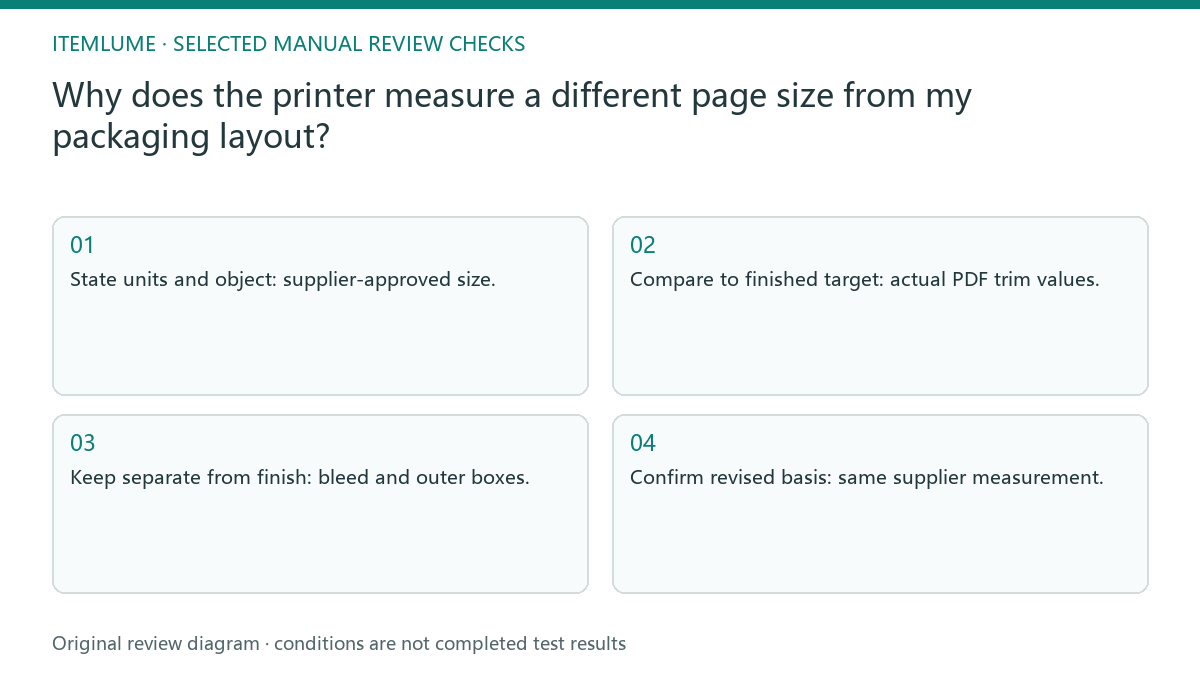
- State units and object: supplier-approved size.
- Compare to finished target: actual PDF trim values.
- Keep separate from finish: bleed and outer boxes.
- Confirm revised basis: same supplier measurement.
Compare trim, bleed and the editable layout
Fictional exercise: a carton proof has an approved finished size, but the printer’s report includes the surrounding bleed. The designer records which values belong to trim and which to delivery extent. After the report’s measurement basis is clarified, the artwork itself is not enlarged to force two unlike rectangles to match.
In a fictional carton proof, the supplier reports a larger rectangle than the designer’s finished panel. Compare whether the supplier measured bleed or the full boundary before editing. After correction, use the same receiving measurement so the result answers the original discrepancy. If the box values agree but the supplier still reports a mismatch, attach both measured values and the exact delivered version. Ask where its measurement starts and ends; do not repeatedly rescale the same artwork until an unexplained number happens to match.
Correct the agreed box without stretching artwork
Stop if the supplier cannot identify the boundary or unit in its report. Resolve that ambiguity before changing dimensions, because an unnecessary scale change can disturb text, marks and folds.
Reject a fix that changes product proportions or clips required bleed. The supplier must confirm the boundary convention; a screenshot alone cannot establish production size. The designer owns PDF boundaries and the printer owns acceptance checks. A rendered packaging concept is not a production document containing verified page-box geometry.
Finished target to retest: decision worksheet
| Check | Evidence to record | Review action |
|---|---|---|
| Finished target | Supplier-approved size | State units and object |
| Trim boundary | Actual PDF trim values | Compare to finished target |
| Delivery extent | Bleed and outer boxes | Keep separate from finish |
| Retest | Same supplier measurement | Confirm revised basis |
Use this matrix as a manual review record and add your own real evidence. Its conditions are not completed test results.
Sources and further reading
Sources for this page were checked on . Platform rules can change; verify the current source before publishing. Prompt examples and workflow recommendations are Itemlume editorial guidance, not independently measured results.
Frequently asked questions
Should I scale down a PDF reported as too large?
First check the measured box. A bleed or boundary mismatch does not necessarily mean artwork was enlarged.
Which dimensions belong in the worksheet?
Record the finished size, bleed requirement, actual box values and their units separately.
Does an on-screen crop prove print size?
No. Use the actual PDF values and the printer’s agreed receiving measurement.
BUILD FROM A PRODUCT YOU KNOW
Put this workflow into practice with your own product.
Explore the relevant tool first. AI copy and concept planning are free after sign-in. Image and video generation require available credits and the applicable account access.
Open Packaging studio Check pricing and credits