 Itemlume
PRACTICAL ANSWER / Product images
Why is there a rectangle around my product photo on a colored store background?
A rectangle usually means the visible color is coming from the image file, its alpha channel, or the theme container behind it. Test the identical file on white, black, and the intended store color. If the boundary stays attached to the file, edit the asset; if it changes with the layout, inspect the theme styling.
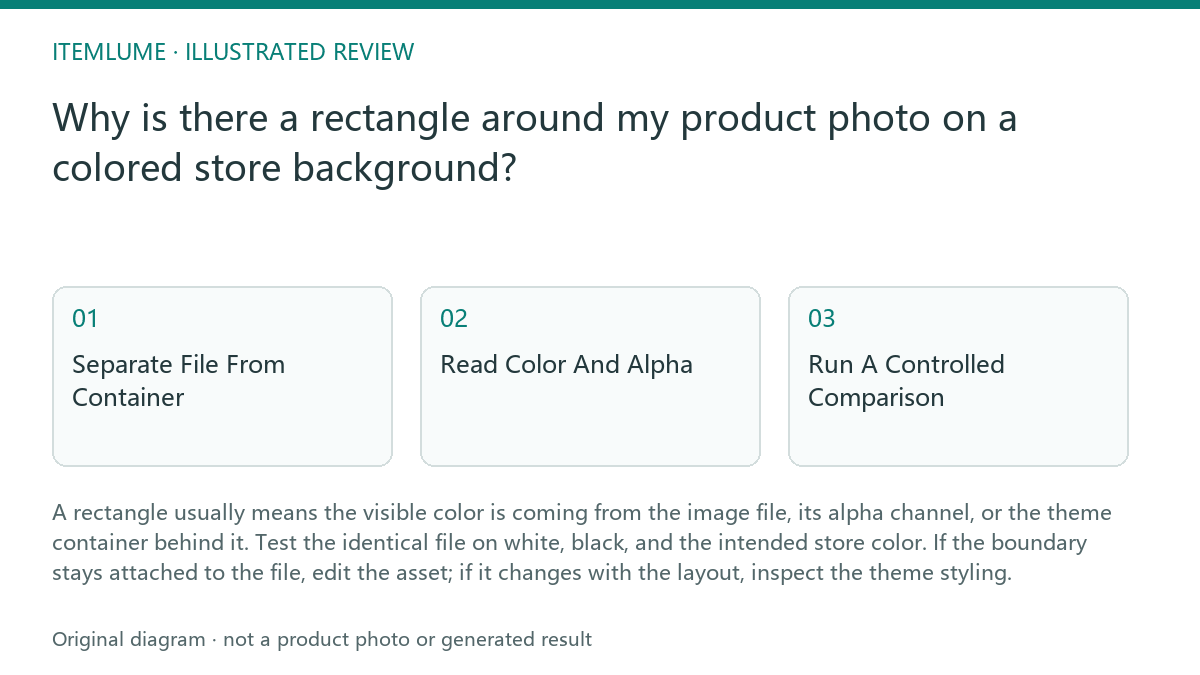
Separate File From Container
Start by asking where the colored area exists. A JPEG cannot store transparent pixels, so every part of its canvas has a rendered color, even when that color looks close to the store background. A PNG may contain transparency, but it can also contain a solid or partly transparent rectangle around the product. The theme can add a separate background, padding area, border, or shadow around the image element.
This distinction matters because the remedies are different. A file problem follows the asset into another viewer. A container problem appears only inside the storefront layout or changes when the card, gallery, or theme color changes. A visual match is not proof that the two colors are technically the same.
- Open the original file in an editor that can show a checkerboard transparency view. Confirm the file type, canvas edges, and whether pixels outside the product are transparent, opaque, or partially transparent.
- Place the same file, without resizing or recoloring it, on white and black backgrounds. Then place it on the actual store background. Record whether the rectangle moves with the file or remains tied to the page container.
- Temporarily disable theme background, border, shadow, and padding styles for the image wrapper, where your storefront tools allow that inspection. Compare the result with the original layout.
- Stop changing the image when the boundary is absent on both test backgrounds but visible only in the storefront. Continue with theme or component inspection instead.
Read Color And Alpha
A near match can still reveal a hard edge. For example, a pink candle JPEG may have a slightly different pink from the product card background. The difference can be subtle on one screen and obvious beside the product's shadow. A saved matte color around a cutout behaves the same way: it may look correct against one background but form a rectangle against another.
Partial transparency creates a second failure mode. Edge pixels may blend the product with a former background, while the center of the canvas remains transparent. On a new colored background, those blended pixels can appear as a pale or dark fringe. Do not call this a theme mismatch until the same edge has been tested against contrasting colors.
Run A Controlled Comparison
Use one unchanged file and one fixed display size for the comparison. Keep the product position, crop, zoom, and surrounding spacing constant. If you change several variables at once, a different crop or CSS rule can disguise the source of the rectangle.
A practical review should inspect both the image and the rendered page. The image preview answers what pixels or alpha values were delivered. The page test answers what the theme adds around that delivery. Neither test alone proves how every device or browser will render the asset.
Worked Exercise And Stop Rule
Fictional exercise: a catalog team sees a rectangle around a pink candle. On white, the rectangle is almost invisible; on black, it is clearly pink; on the store's pale pink card, it is still visible. The team checks the JPEG and finds an opaque pink canvas. It exports a version with genuine transparency, then repeats the three-background test. The product edge remains visible, but the rectangle disappears.
The pass condition is a consistent canvas boundary test: no unintended rectangle on white, black, or the intended store color, with the product and any intentional shadow still present. Stop editing the image once that condition passes. If the rectangle returns only after the file enters the storefront, stop asset edits and inspect the image wrapper's background, border, padding, and shadow.
Topic-Specific Review
| Observation | Next check | Pass condition |
|---|---|---|
| The rectangle keeps the same shape and color on white, black, and the store background. | Inspect the file canvas and alpha channel. | No opaque or unintended semi-transparent canvas surrounds the product. |
| The rectangle appears only inside the product card. | Temporarily compare the image with the wrapper background, border, padding, and shadow disabled. | The image itself has no boundary; the layout rule is identified. |
| The edge changes from pale to dark across backgrounds. | Review edge pixels for a baked-in matte or partial transparency. | The edge remains natural across all three backgrounds. |
| The product passes the file test but fails after theme placement. | Keep the asset unchanged and inspect the rendered component. | The storefront adds no unintended colored panel or fixed canvas effect. |
Sources and further reading
Sources for this page were checked on . Platform rules can change; verify the current source before publishing. Prompt examples and workflow recommendations are Itemlume editorial guidance, not independently measured results.
- Itemlume: editorial scope and evidence
- Shopify: theme image display guidance
- Shopify Community: transparent backgrounds in product collection cards (merchant question)
- Shopify Community: Atelier collection-card background (merchant question)
- Photoroom: repeatable product image workflow
- Google Search Central: image publishing guidance
Frequently asked questions
Can a JPEG have a transparent background?
No. A JPEG stores a rendered rectangular canvas, so use a format and workflow that preserve transparency when transparency is required.
Is every rectangle a white halo?
No. A rectangle may be a baked-in matte, an opaque image background, or a theme container. Test the file separately before diagnosing the edge.
Should I recolor the image to match the store theme?
Only when a solid background is intentional and fixed. For a reusable product asset, test transparency first so the same file can be reviewed on contrasting backgrounds.
BUILD FROM A PRODUCT YOU KNOW
Put this workflow into practice with your own product.
Explore the relevant tool first. AI copy and concept planning are free after sign-in. Image and video generation require available credits and the applicable account access.
Open Product images Check pricing and credits