 Itemlume
DIAGNOSTIC GUIDE / A+ product pages
How do I explain a package redesign when the visible size changes but quantity may not?
Compare documented contents separately from the container’s new shape. A shorter or wider package can look smaller without proving the sold quantity changed. Conversely, a design change should not hide a genuine quantity difference. Record old and new net amounts on the same basis before explaining the redesign. The approved quantity statement must follow the actual revision and stock being dispatched.
Container shape and sold quantity require separate evidence
External dimensions describe packaging, while the approved quantity field describes contents. Comparing photograph heights without matched scale can add another false signal. Keep the product revision and batch scope visible so shoppers know which packaging and amount they will actually receive.
Record the exact old and new product revisions before comparing them. A height difference in unmatched photographs can reflect camera scale or shape rather than contents. The approved net-quantity field is the relevant evidence; neither container volume guessed from appearance nor a generated cutaway is a measurement.
Compare revisions on the same unit basis
Collect the old and new approved packaging records, net amount and relevant product identity. Compare quantities using the same unit and definition, then examine side-by-side images at an explained scale. Ask the seller which revision is currently dispatched and update the wording and assets together when that changes.
Keep old and new quantity records with the same unit and definition. Explain image scale if displaying both packages side by side. Ask which revision currently ships and whether mixed packaging can occur, using the seller’s actual stock policy rather than inventing a universal transition date.
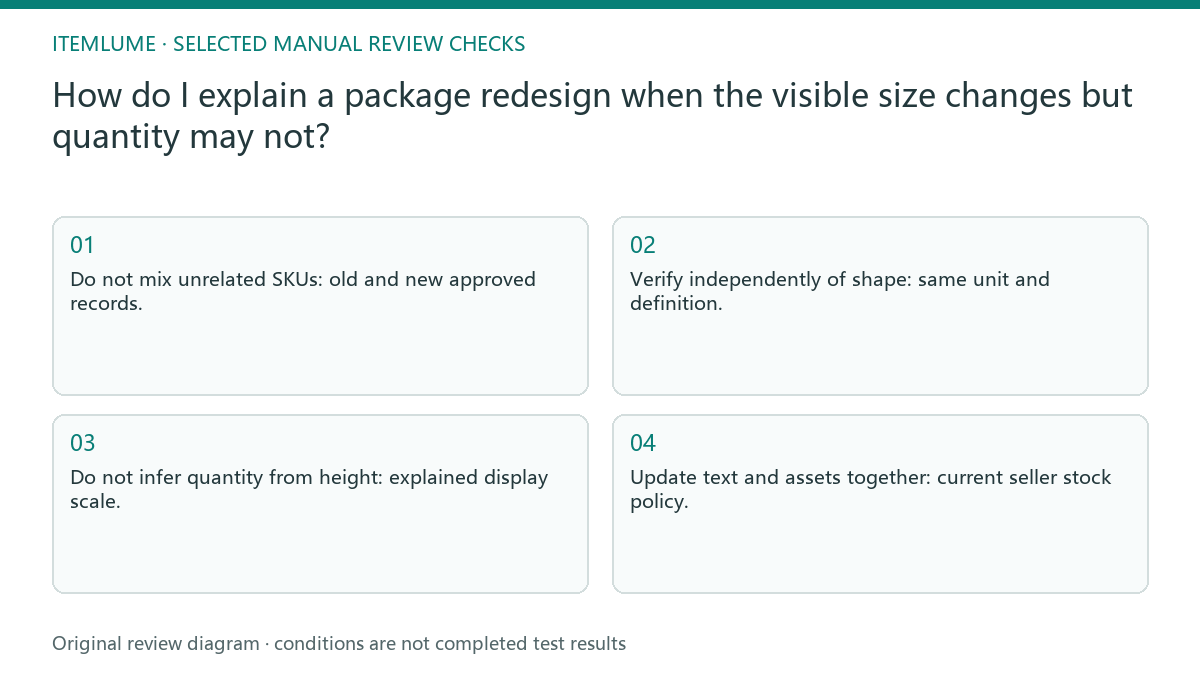
- Do not mix unrelated SKUs: old and new approved records.
- Verify independently of shape: same unit and definition.
- Do not infer quantity from height: explained display scale.
- Update text and assets together: current seller stock policy.
A tall bottle becomes lower and wider
Fictional exercise: a product moves from a tall bottle to a lower, wider bottle. The seller verifies both records before writing “same amount.” If no matching net-quantity evidence exists, that phrase stays unapproved. The visual comparison does not measure hidden contents or prove that every current batch uses the new container.
In the fictional bottle redesign, the seller approves “same amount” only after matching the records. A reviewer distinguishes that factual claim from “looks equally tall.” If dispatch still includes the prior container, the page explains the actual revision scope instead of promising only the new shape. If old and new packages may both dispatch, state the seller-confirmed revision range without inventing a changeover date. Match every “same amount” statement to evidence for the relevant version. A broad reassurance cannot repair a SKU or quantity mismatch. Keep the image explanation consistent when both revisions may ship.
Match the published message to current dispatch
Stop if old and new values use different definitions or if current dispatch revision is unknown. Correct the factual comparison before using a reassurance headline.
Stop reassurance claims when the quantity definition or dispatched revision is unclear. Update text, image and purchase option together after the facts are resolved. The seller approves revision and quantity facts. Itemlume can create a presentation candidate but cannot weigh hidden contents or validate packaging migration across stock.
Revision identity to dispatched version: decision worksheet
| Check | Evidence to record | Review action |
|---|---|---|
| Revision identity | Old and new approved records | Do not mix unrelated SKUs |
| Net amount | Same unit and definition | Verify independently of shape |
| Visual comparison | Explained display scale | Do not infer quantity from height |
| Dispatched version | Current seller stock policy | Update text and assets together |
Use this matrix as a manual review record and add your own real evidence. Its conditions are not completed test results.
Sources and further reading
Sources for this page were checked on . Platform rules can change; verify the current source before publishing. Prompt examples and workflow recommendations are Itemlume editorial guidance, not independently measured results.
Frequently asked questions
Does a shorter bottle prove less product?
No. Compare confirmed net amounts independently of shape and photographic scale.
Can I say “same amount” from the pictures?
Only with matching documentary quantity evidence, not visual similarity alone.
Must every buyer receive the newest package?
Do not assume so. Confirm the current dispatch revision and any mixed-stock policy.
BUILD FROM A PRODUCT YOU KNOW
Put this workflow into practice with your own product.
Explore the relevant tool first. AI copy and concept planning are free after sign-in. Image and video generation require available credits and the applicable account access.
Open A+ product pages Check pricing and credits