 Itemlume
PRACTICAL ANSWER / Product videos
How do I compare two product-ad edits fairly on a phone?
A larger embedded player can make an edit feel clearer or more impressive without changing the footage. Compare both edits in the same playback area, at the same volume and network conditions, and alternate which one you watch first. Then judge a single creative difference at a time. Treat the result as a viewing check, not proof that one ad will perform better.
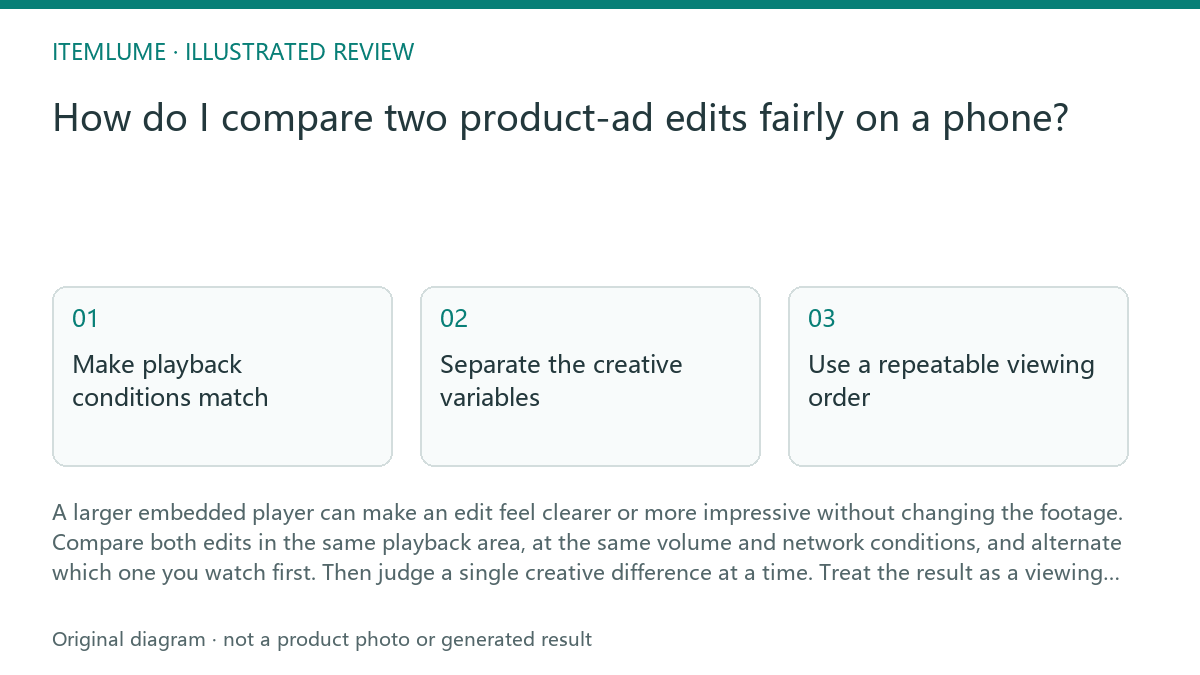
Make playback conditions match
Different embedded player sizes distort comparison: the larger version occupies more of your attention, while the smaller one can hide product details or on-screen text. Use the same phone, orientation, playback area, and screen brightness for both. If the players cannot be resized, open each edit in the same full-screen mode, or compare them in a shared review layout with equal-sized frames.
Set the same volume, mute state, and network conditions. Wait until each edit has loaded before playback; buffering or a lower-quality stream can make one seem less polished. Avoid comparing one edit with headphones and the other through the phone speaker. These are review controls you can apply yourself, not product capabilities.
- Open both edits on the same phone and use the same orientation and playback size.
- Set matching volume or mute state, brightness, and network conditions.
- Play each edit fully once, checking that neither buffers or changes apparent quality.
- Watch again in the reverse order, then note specific differences rather than a general preference.
Separate the creative variables
Before viewing, write down what actually differs: for example, opening shot, shot order, caption wording, or pace. Keep the rest as close as possible. If the edits differ in opening, music, length, and product framing all at once, a preference cannot tell you which change mattered. When the edits come from storyboards, check that the comparison uses equivalent moments and that neither version has an accidental crop or missing shot.
Choose a small set of observable questions, such as whether the product is recognizable in the opening or whether the main action is understandable without replaying. Record what you saw before discussing preferences. A phone review can reveal legibility, continuity, and playback problems; it cannot establish product fit, performance, or likely sales.
Use a repeatable viewing order
Order can influence a side-by-side judgment: the first edit sets a reference, while the second may benefit from familiarity with the idea. Watch A then B, pause briefly, and later watch B then A. Keep the same playback size each time. If you are reviewing with another person, have each person record observations independently before comparing notes; otherwise, the first opinion can steer the discussion.
For a concrete exercise, suppose two fictional storyboard-derived edits show the same bottle. Edit A opens on the bottle; Edit B opens on a hand placing it on a table. In a fictional phone review, both are viewed at equal size and volume, in both orders. The reviewer notes that the bottle is identifiable in each, but the hand briefly covers its label in B. That supports a specific follow-up about the opening frame; it does not establish which edit would attract more customers.
Stop when the comparison is no longer fair
If you cannot make the playback areas equal, use the same full-screen presentation for each or postpone the creative judgment. Stop and fix any mismatch in sound, loading, crop, orientation, or playback quality before recording a preference. If an edit contains a different shot or duration than intended, treat it as a versioning issue and verify the files before continuing.
Once playback is comparable, stop when you have checked the agreed questions and logged observable differences. Do not keep replaying until one version merely feels more familiar. The review table separates conditions to correct from creative observations to carry forward. Any later performance test is a separate workflow and needs its own design; this phone comparison alone does not identify a winner. Itemlume planning is free after sign-in, while image and video media are quoted separately; Itemlume does not publish edits to stores.
Phone comparison review
| Observation | Next check | Pass condition |
|---|---|---|
| Players appear different sizes | Use equal-sized frames or the same full-screen mode | Both edits occupy the same playback area |
| One edit buffers or looks softer | Wait for loading; replay under matching network conditions | Neither edit has a playback or quality mismatch |
| Sound differs between reviews | Match volume and mute state; use the same listening setup | Both are reviewed with the same sound condition |
| Opening shot or crop differs unexpectedly | Check the intended edit and source version | Only the planned creative differences remain |
| Preference changes with viewing order | Replay once in reverse order and record observations | Specific observations are stable enough to discuss, without claiming a winner |
Sources and further reading
Sources for this page were checked on . Platform rules can change; verify the current source before publishing. Prompt examples and workflow recommendations are Itemlume editorial guidance, not independently measured results.
Frequently asked questions
Should both edits use the same phone?
Yes. It removes differences in screen size, brightness, and speaker setup from the comparison.
Can I compare embedded players of different sizes?
Not fairly by judging immediate impact. Match their displayed size or use the same full-screen presentation.
Does a phone review show which edit will sell better?
No. It can reveal viewing and creative issues, but does not establish business performance.
BUILD FROM A PRODUCT YOU KNOW
Put this workflow into practice with your own product.
Explore the relevant tool first. AI copy and concept planning are free after sign-in. Image and video generation require available credits and the applicable account access.
Open Product videos Check pricing and credits