 Itemlume
PRACTICAL ANSWER / Product videos
Why does my product ad start on a black frame after export?
A black opening can come from an intentional fade, an empty first frame, or a player that displays no decoded video before playback begins. Inspect the exported file itself, then compare a platform preview with the editor. Keep the video’s first useful image separate from a poster image used as a fallback.
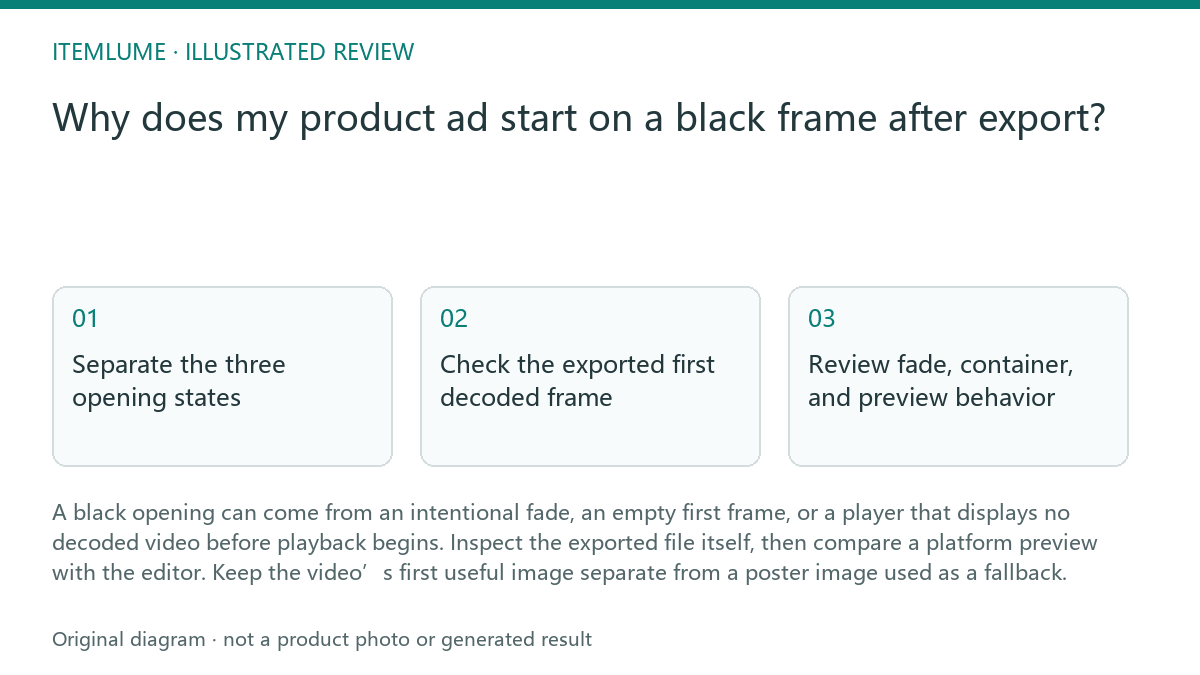
Separate the three opening states
An editor timeline can show a product image while the exported file begins with black frames or a fade from black. A serum ad that appears correct during editing may therefore open with two empty frames after export. The first question is whether black is encoded into the file or added by the container or player.
A poster image has a different job. It can identify the product before motion starts, support a paused player, or act as a fallback when video playback does not begin. It does not repair an encoded black opening, and it should not be treated as proof that the video’s first decoded frame contains the same image.
Check the exported first decoded frame
Use a local player or frame inspection tool to examine the first decoded frame, then inspect the next few frames at their actual timestamps. Record whether the product is visible, whether a fade is deliberate, and whether the first frame contains a full label and usable composition.
A short fade can be a creative choice, but it becomes a defect when it hides the product during the opening that the ad needs. Compare the export with the editor at the same time position. If the local file starts correctly but a platform preview shows black, the remaining suspect is the preview, container, poster, or playback path rather than the edit itself.
- Open the exported file outside the editor.
- Inspect the first decoded frame and the next few frames.
- Compare those frames with the editor timeline at matching timestamps.
- Check the platform preview with and without its poster or thumbnail.
- Stop when the cause is isolated; do not change the edit while the file and player causes remain mixed.
Review fade, container, and preview behavior
Check whether a transition, opacity keyframe, empty layer, or export setting creates black before the product appears. Then test the same file in another local player. A difference between players points to playback handling, while identical black frames point back to the encoded video.
A platform preview may show a poster, delay video decoding, or display a blank area before controls and motion appear. Treat that observation as a workflow test, not as a documented platform promise. The practical fix depends on the diagnosis: remove unintended black frames, shorten an unnecessary fade, or provide a clear poster and visible playback action.
Apply the smallest correction
If the first decoded frame is black because of the edit, move the product image to the intended opening position and remove unintended empty duration. If the fade is intentional, decide whether the product remains understandable during it; otherwise shorten or remove the fade.
If the file begins correctly but the platform preview does not, preserve the file and review the poster, player state, and preview path. A poster should show the product clearly for its own fallback purpose. It should not be described as the video’s first frame unless frame inspection confirms that claim.
Black-opening review
| Observation | Next check | Pass condition |
|---|---|---|
| Local file begins with black | Inspect the first decoded frame and preceding timeline layers | No unintended empty frames remain before the intended opening image |
| Editor looks correct but export is black | Compare matching timestamps and inspect opacity, transitions, and empty layers | The exported first useful frame matches the approved opening composition |
| Local file opens correctly but platform preview is black | Test poster, preview state, and another player or preview path | The cause is assigned to playback or preview behavior, not incorrectly blamed on the edit |
| Poster shows the serum but video begins differently | Keep poster and video-frame claims separate | The poster is labeled as fallback or paused-player imagery, and the video claim is frame-verified |
Sources and further reading
Sources for this page were checked on . Platform rules can change; verify the current source before publishing. Prompt examples and workflow recommendations are Itemlume editorial guidance, not independently measured results.
Frequently asked questions
Can a poster image remove black frames from the video?
No. It can cover a paused or unavailable playback state, but encoded black frames remain in the video file.
Should every fade from black be removed?
No. Keep it when it supports the opening and does not hide the product for the intended first impression.
Does a platform preview prove the export is wrong?
No. Compare the exported file in a local player and inspect its first decoded frame before changing the edit.
BUILD FROM A PRODUCT YOU KNOW
Put this workflow into practice with your own product.
Explore the relevant tool first. AI copy and concept planning are free after sign-in. Image and video generation require available credits and the applicable account access.
Open Product videos Check pricing and credits