 Itemlume
DIAGNOSTIC GUIDE / Product videos
Why does phone footage drift out of sync after I combine it with an AI advertisement?
Progressive audio drift after combining phone footage with an advertisement needs a source-to-export comparison. Phone footage may use variable frame rate, which an editor can handle differently from a constant-rate clip. Check the original, any converted copy, and the final export at three points. Do not assume a file labelled 30 fps has constant timing or blame the generated clip automatically.
Find which file first loses synchronization
Choose an event visible and audible in the phone recording, such as a hand clap or a lid touching a table. Check it near the beginning, then use other events near the middle and end. Record whether the sound is offset by the same amount or falls increasingly behind.
A constant offset can have a different cause from accumulated drift. If the original already fails, the assembly is not the first source of the problem. If only the export fails, inspect the editing and export chain. Avoid sliding the whole audio track until you have separated those two cases.
Check variable timing without guessing the source
Adobe’s Premiere Elements help notes that mobile recordings may use variable frame rate and can encounter audio synchronization issues. This establishes a possible diagnostic direction, not proof that every phone file or H3 output uses VFR. Inspect the actual source properties in an external media tool or editor.
If a conversion is needed, preserve the original and produce a clearly named working copy with a documented timing choice. Compare that copy before re-editing the whole campaign. One controlled conversion is more informative than changing frame rate, speed, audio delay, and export settings together.
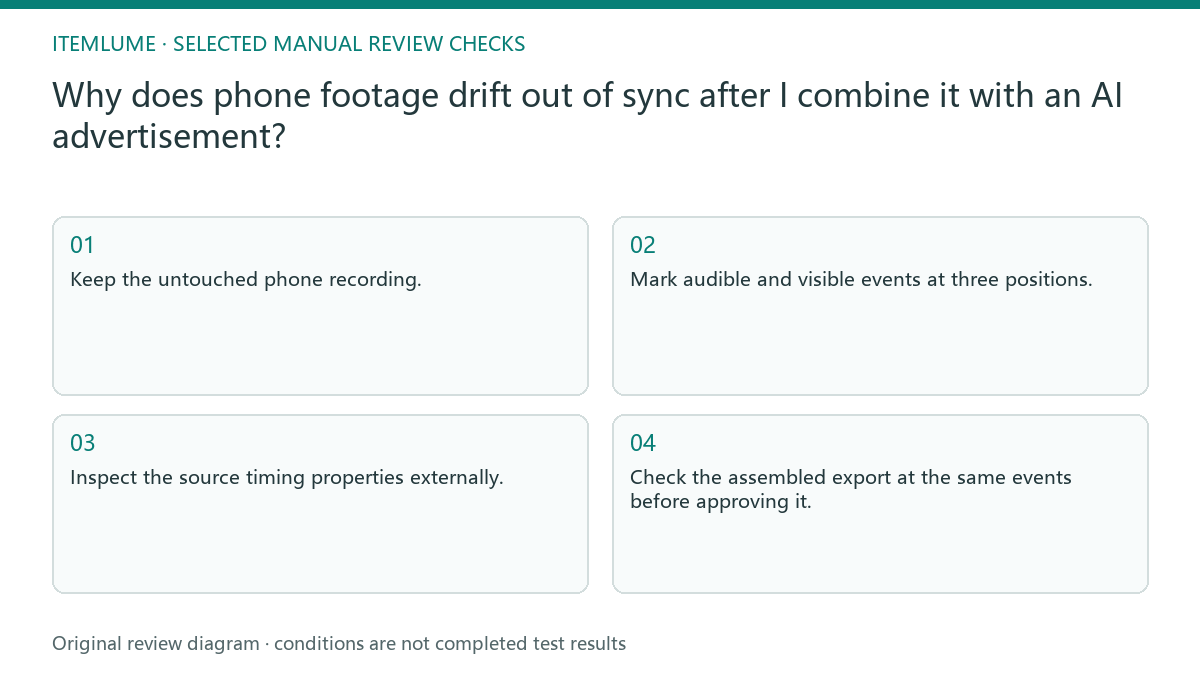
- Keep the untouched phone recording.
- Mark audible and visible events at three positions.
- Inspect the source timing properties externally.
- Compare one converted working copy with the original.
- Check the assembled export at the same events before approving it.
A fictional unboxing synchronization log
Fictional exercise: a seller combines a phone unboxing with silent generated product scenes. The opening clap aligns, but later lid taps appear before their sounds. The log records those differences separately for the original, working copy, and export. This is a diagnostic exercise, not a measured Itemlume audio test.
Suppose the working copy is consistent while the assembled export is not. That would direct the next investigation to the external editing chain, not justify regenerating the silent product scenes. If every copy drifts, stop assembly and resolve the phone source first. Do not invent a successful conversion result for the exercise.
Approve the delivery on more than a preview
Open the actual final file in a separate player and repeat the event checks. A smooth timeline preview is not the delivery file. Keep the editor version, working-copy settings, and final file name with the synchronization log so another person can reproduce the review.
Itemlume’s assembled TVC is a silent edit; adding phone audio and mixing it takes place in an external editor. This guide does not imply built-in audio repair or recording. Stop if the source timing remains unresolved rather than covering the mismatch with music or repeated paid video generation.
Start, middle and end comparison
| File or symptom | Check | Next decision |
|---|---|---|
| Original phone clip | Three audible visual events | Resolve source if already drifting |
| Working converted copy | Same event timestamps | Accept only consistent timing |
| Constant offset throughout | Compare alignment without speed change | Investigate offset separately |
| Final export only drifts | Open file outside editor | Review editing and export chain |
Use this matrix as a manual review record and add your own real evidence. Its conditions are not completed test results.
Sources and further reading
Sources for this page were checked on . Platform rules can change; verify the current source before publishing. Prompt examples and workflow recommendations are Itemlume editorial guidance, not independently measured results.
Frequently asked questions
Does 30 fps prove constant frame rate?
No. A displayed or average frame-rate value does not by itself describe the timing of every captured frame.
Should I move audio to align the ending?
Not before checking the beginning and middle. Fixing one point can worsen the others when the error accumulates.
Will regenerating the AI clip fix phone sound?
There is no basis for that assumption. Locate the failing file and timing stage before paying for another generation.
BUILD FROM A PRODUCT YOU KNOW
Put this workflow into practice with your own product.
Explore the relevant tool first. AI copy and concept planning are free after sign-in. Image and video generation require available credits and the applicable account access.
Open Product videos Check pricing and credits