 Itemlume
DIAGNOSTIC GUIDE / Product images
Why is the SKU-image upload option missing from my Douyin Shop account?
Confirm whether the SKU-image feature is available to the actual account, category and terminal before preparing a larger batch. A missing control is not automatically a file problem. Keep current official instructions beside the account’s observed interface and avoid borrowing another merchant’s screenshot as proof of your permission. Record exactly where the control is missing before asking whether the file needs changing.
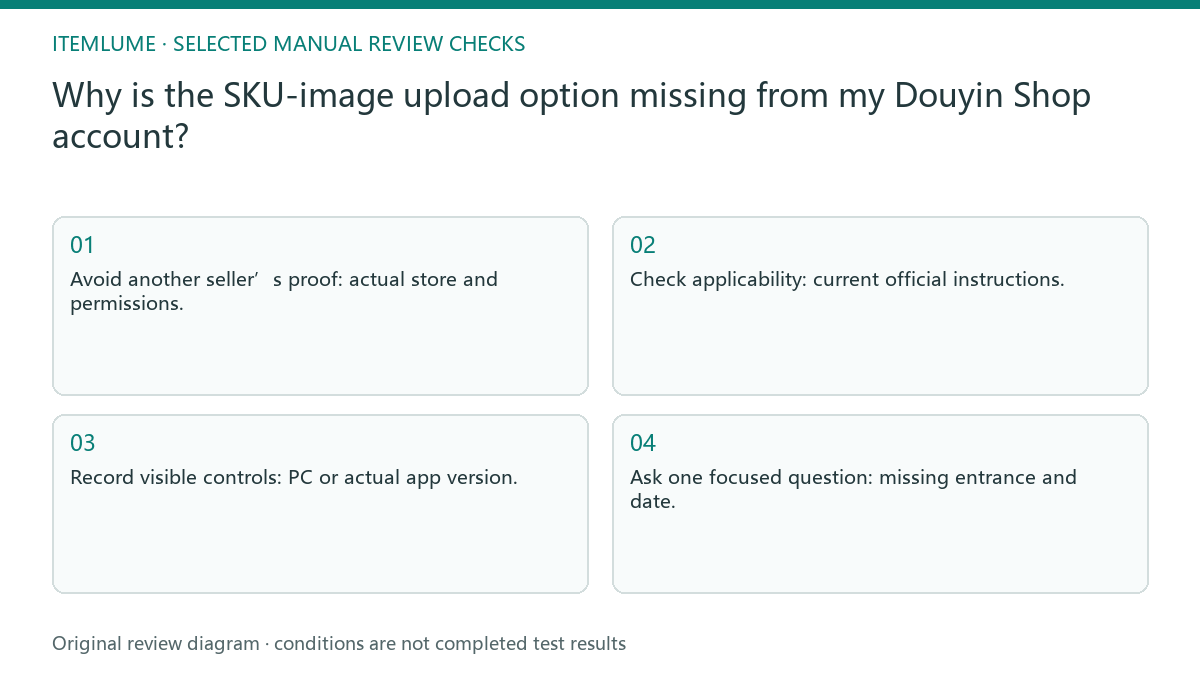
Missing SKU-image controls require account context
A platform can document a workflow whose controls are not presented identically to every account or terminal. Feature availability and operating steps therefore need different records. Generating more images will not create an unavailable control, and a PC path should not be assumed to match an app path.
Do not infer eligibility from another seller’s screenshot. Record your store, product category and terminal, then locate the current official instructions applicable to them. A missing control can be a route or permission question; it does not automatically mean the image file is wrong.
Check category, terminal and current instructions
Record the store context, category, PC or app version and review date. Locate the current official feature scope and compare it with the controls actually visible. If the entrance is absent, collect a focused support question with those details; do not alter product variants merely to make a guessed upload path appear.
Distinguish “cannot see the entrance” from “upload is rejected after selecting a file.” Preserve the page and date for the first case; preserve the exact file and error for the second. These need different support evidence and should not be collapsed into one AI-image failure.
- Avoid another seller’s proof: actual store and permissions.
- Check applicability: current official instructions.
- Record visible controls: PC or actual app version.
- Ask one focused question: missing entrance and date.
A bag seller cannot find another store’s button
Fictional exercise: a bag seller has approved four variant images, but the expected SKU-image control is absent on the phone. The seller records the app context and checks the official scope and a permitted PC route. The images remain approved files; the exercise does not claim the feature is open for that fictional account.
In the fictional bag example, the merchant writes one question: whether this category and account currently have the SKU-image route on the terminal being used. Support can answer that scope. A guessed workaround that changes product classification would introduce a different risk. If support confirms the route is available but the control remains absent, return the actual page, terminal and dated reply in one follow-up. Do not claim a model prompt caused the missing entrance or advise bypassing the account’s feature restrictions.
Send a focused availability question to support
Stop if feature eligibility or current account permissions cannot be confirmed. Ask platform support for the exact account context instead of repeatedly submitting the assets through unrelated fields.
Once availability is confirmed, check the current image instructions separately. Keep the account-access decision out of the image prompt; prompt wording cannot create a platform feature. The merchant operates the Douyin Shop account and confirms its access. Itemlume does not grant platform features, read this account or automatically upload SKU images.
Account context to support handoff: decision worksheet
| Check | Evidence to record | Review action |
|---|---|---|
| Account context | Actual store and permissions | Avoid another seller’s proof |
| Category scope | Current official instructions | Check applicability |
| Terminal | PC or actual app version | Record visible controls |
| Support handoff | Missing entrance and date | Ask one focused question |
Use this matrix as a manual review record and add your own real evidence. Its conditions are not completed test results.
Sources and further reading
Sources for this page were checked on . Platform rules can change; verify the current source before publishing. Prompt examples and workflow recommendations are Itemlume editorial guidance, not independently measured results.
Frequently asked questions
Does another store’s screenshot prove my eligibility?
No. Verify your actual account, category and terminal with current official instructions.
Is a missing button an image-format error?
Not by itself. Locate the availability route before diagnosing a selected file.
Can Itemlume enable SKU-image access?
No. Only the merchant and platform can confirm that account’s feature availability.
BUILD FROM A PRODUCT YOU KNOW
Put this workflow into practice with your own product.
Explore the relevant tool first. AI copy and concept planning are free after sign-in. Image and video generation require available credits and the applicable account access.
Open Product images Check pricing and credits