 Itemlume
DIAGNOSTIC GUIDE / Product images
Why are there two reflections underneath my product photo?
Possible causes include reflections from more than one physical surface, an added editing layer, or a generated duplicate. A rear-coated glass mirror can produce ghost images at its glass surfaces. Compare the unretouched source, the contact point and a matte-support photograph before deciding which explanation fits your product. A virtual reflection does not establish the physical behavior of your actual support.
Start with the contact point
A mirror or glossy acrylic base can create a reflection from the product’s lower surface. If the base has visible thickness, a top face and a lower face may produce slightly separated images, especially when the camera is not directly above the product. The lower image may look softer, darker, or offset rather than simply appearing as a clean continuation of the product.
First inspect where the product touches the support. A reflection that begins exactly at the contact edge and follows the product’s perspective is more consistent with a surface reflection. A second image that floats below the first, ignores the contact edge, or repeats a highlight at the wrong angle may be an added editing layer or an image-generation artifact. This is a diagnosis, not proof of a universal optical rule.
Separate surface reflection from an added layer
Create a controlled comparison using the same camera position, focal setting, product orientation, support, and lighting. Photograph the item once on the suspected mirror or acrylic, then once on a matte surface. The matte version removes the support’s mirror contribution, but it does not by itself prove that every remaining shadow or reflection is physically accurate.
For a product that must be presented on a reflective base, photograph a clean plate of the support and inspect the lower edge at full working resolution. Keep the product’s true silhouette, contact area, and hardware visible. If an editor adds a reflection afterward, request the unretouched photograph and the edited version as separate files. External photography, retouching, and store publishing remain manual workflows; Itemlume text planning is free after sign-in, while chargeable image or video work has separate quotes.
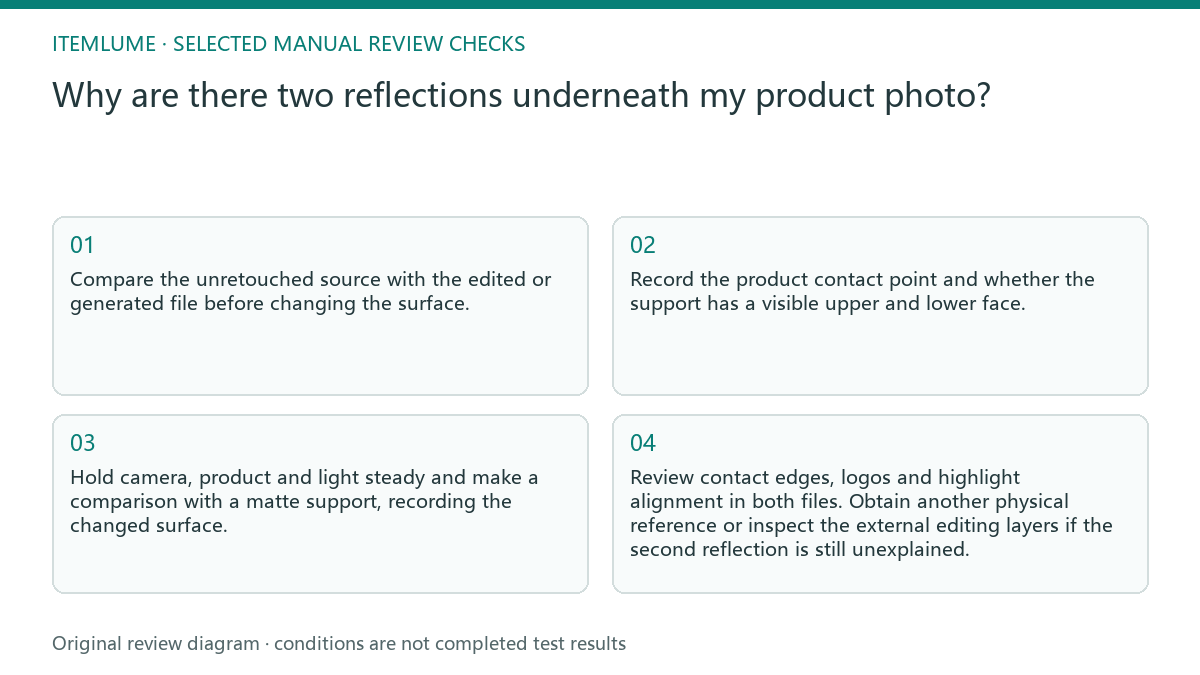
- Compare the unretouched source with the edited or generated file before changing the surface.
- Record the product contact point and whether the support has a visible upper and lower face.
- Hold camera, product and light steady and make a comparison with a matte support, recording the changed surface.
- Review contact edges, logos and highlight alignment in both files. Obtain another physical reference or inspect the external editing layers if the second reflection is still unexplained.
Fictional exercise: two lines below a jar
In this fictional exercise, a ceramic jar photographed on a rear-coated mirror has a faint line below its stronger reflected base. The unretouched file already contains both lines. A new photograph on a matte board removes both reflections while leaving a contact shadow; the editor has not added a reflection layer. The observation supports investigating the mirror, but does not by itself identify every light path.
Keep the original mirror photograph, the matte-board comparison and the support description together. Inspect the jar’s lower rim in both files at the same size. If the duplicate persists on the matte board or appears only after editing, reopen the layer and source-file review. The exercise describes a diagnostic decision, not a measured result from an Itemlume generation.
Approve only what the evidence supports
A product page needs a reflection that explains the product’s placement, not a visually impressive duplicate that changes its shape. Approve the image when the reflection starts at the real contact area, follows the product’s perspective, and does not invent extra hardware or alter the silhouette. If the product is transparent or highly polished, use the comparison to identify uncertainty rather than claiming that the image proves material behavior.
Do not ask an image tool to restore a physically correct reflection without a reference photograph. A plausible lower image still needs comparison with the unretouched source. If the product owner cannot explain the doubled component, use the approved matte-support view or obtain another physical reference before publishing the reflective version.
Mirror, acrylic, and contact-point check matrix
| Observation | What to check | Approval condition |
|---|---|---|
| Two lower images begin at different heights | Inspect whether the support has visible thickness and whether one image floats below the contact edge | Approve only after a same-camera matte-support comparison identifies the extra image |
| Reflection follows the product but its logo is stretched differently | Compare logo, seams, ports, and silhouette with the source product | Reject or return for review if the reflection invents or changes product details |
| Lower image is visible on a matte background | Request the unretouched photograph and inspect the editing layers or handoff files | Approve only when the editor identifies the added layer and preserves the real contact point |
| Highlight direction changes between product and reflection | Compare light position, product angle, and support angle without changing other variables | Approve only when the discrepancy is explained by the support or corrected in a new photograph |
Use this matrix as a manual review record and add your own real evidence. Its conditions are not completed test results.
Sources and further reading
Sources for this page were checked on . Platform rules can change; verify the current source before publishing. Prompt examples and workflow recommendations are Itemlume editorial guidance, not independently measured results.
Frequently asked questions
Can two reflections be physically real?
They can arise from more than one visible surface, such as a thick transparent or glossy support, but inspect the contact point and run a same-camera comparison before deciding.
Should I remove every reflection?
No. Keep a reflection when it accurately communicates the support and product placement. Remove or revise it when it duplicates details, floats below the contact point, or changes the silhouette.
Can Itemlume automatically fix the reflection?
Do not assume that. Use Itemlume for free text planning after sign-in and obtain separate quotes for chargeable images or video; external photography, editing, and publishing require manual workflows.
BUILD FROM A PRODUCT YOU KNOW
Put this workflow into practice with your own product.
Explore the relevant tool first. AI copy and concept planning are free after sign-in. Image and video generation require available credits and the applicable account access.
Open Product images Check pricing and credits