 Itemlume
DIAGNOSTIC GUIDE / Product videos
Why did one subtitle language disappear when I exported two languages together?
Check which subtitle track and export method produced the file. Two languages visible in an editing project do not prove that a single sidecar SRT contains both selectable tracks. Adobe documents caption-track export as a separate delivery step. Give each intended language an explicit file and test its import, while distinguishing selectable subtitles from text permanently burned into the picture.
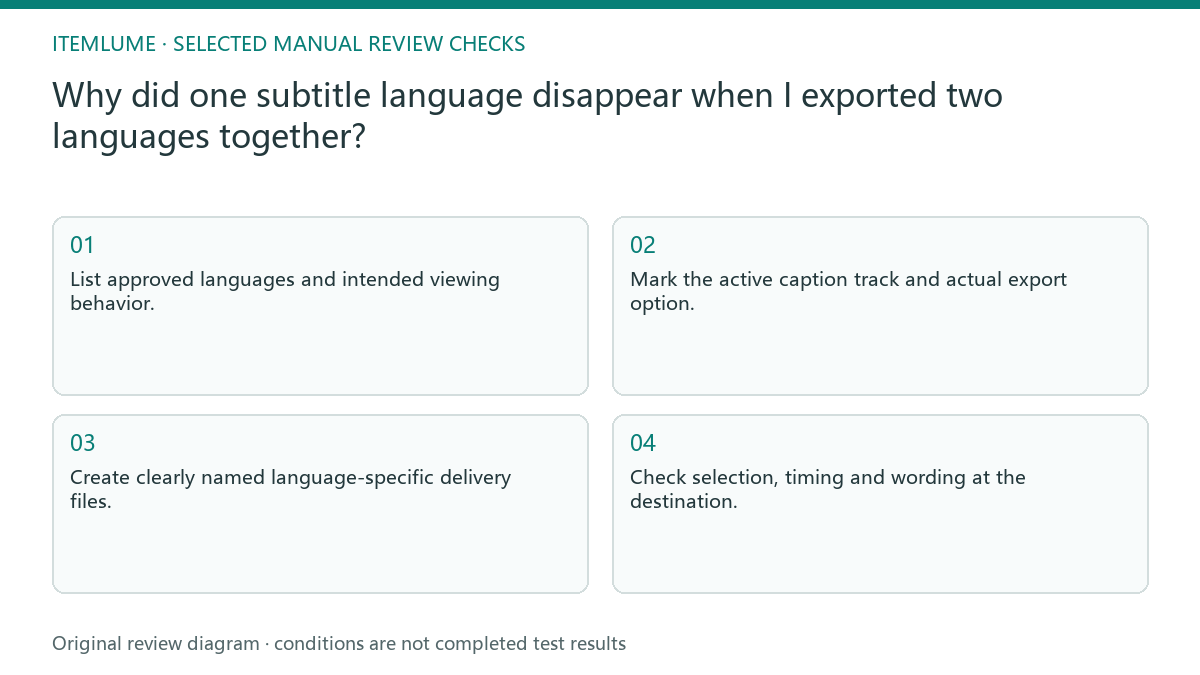
Inventory tracks before exporting
Record each language, its approved text, timeline track and delivery role. A translated track can exist but be disabled or unselected during export. Do not recreate the translation before checking whether the missing language was included in the actual export request.
Decide whether viewers should select one language, see both simultaneously, or receive separate video versions. Those choices require different delivery arrangements. A bilingual picture and two selectable subtitle files are distinct assets with different layout and accessibility checks.
Export and name languages independently
Use the external editor’s supported caption-export workflow and confirm its current options. Name each sidecar with the video revision and language so the receiver cannot substitute an older translation. Keep the language label outside the subtitle text unless the presentation explicitly requires it.
Reimport each file into a clean test with the exact delivery video. Check the opening, a middle cue and the ending for language, timing and product names. A file that opens in a text editor proves neither synchronization nor correct destination selection.
- List approved languages and intended viewing behavior.
- Mark the active caption track and actual export option.
- Create clearly named language-specific delivery files.
- Reimport each sidecar with the exact video revision.
- Check selection, timing and wording at the destination.
Fictional exercise: the Chinese track is omitted
In this fictional exercise, a mug video has approved English and Chinese tracks. The operator exports only the active English sidecar. The missing Chinese file is an export-selection problem, not a translation-quality problem or an Itemlume generation result.
The operator exports the Chinese track separately and tests both files with the same video. If the destination cannot expose the intended language choice, the team asks its owner to approve another delivery arrangement. They stop when both agreed language outcomes are verified, not when two tracks exist in the project.
Protect language and version alignment
Keep a ledger connecting the video revision, subtitle file, language and review status. A later cut can invalidate both languages’ timing even when their words remain correct. Retain the old files for traceability but clearly remove them from the current delivery set.
Adding subtitles and uploading them are external postproduction tasks. Stop a language release if its sidecar is absent, associated with another edit or not playable as intended. Itemlume’s silent TVC creation does not establish caption tracks, translated timing or platform subtitle publishing.
Language delivery ledger
| Observation | Manual check | Stop or approve |
|---|---|---|
| English track | Export selected track | Named English file |
| Chinese track | Export independently | Named Chinese file |
| Video recut | Recheck all cue times | Renew timing approval |
| Destination selector | Replay each language | Intended choice works |
Use this matrix as a manual review record and add your own real evidence. Its conditions are not completed test results.
Sources and further reading
Sources for this page were checked on . Platform rules can change; verify the current source before publishing. Prompt examples and workflow recommendations are Itemlume editorial guidance, not independently measured results.
Frequently asked questions
Is a bilingual SRT a selectable two-track file?
Do not assume that. Decide the desired viewing behavior and use the supported delivery workflow.
Should I translate again?
Only if wording is wrong; missing export selection requires a file-delivery repair.
Can burned-in text be switched off?
It is part of the picture, so it is different from a selectable sidecar subtitle.
BUILD FROM A PRODUCT YOU KNOW
Put this workflow into practice with your own product.
Explore the relevant tool first. AI copy and concept planning are free after sign-in. Image and video generation require available credits and the applicable account access.
Open Product videos Check pricing and credits